FR
All coloring pages

Reading Nook

Shortcuts and gestures

Keyboard

Tools

G
Paint bucket
B
Brush
E
Eraser
I
Color picker
H
Move the drawing
[ /]
Brush or eraser size
Alt +click
Quick color picker

Colors

C
Colors panel
X
Previous color

View

+ /−
Zoom in / out
0
Whole drawing
Wheel
Zoom under the mouse
Space +drag
Move the drawing
F
Full screen
V
See the blank drawing (hold)
S
Compare with the slider

General

Ctrl +Z
Undo
Ctrl +Y /Ctrl +Shift +Z
Redo
?
This help
Esc
Close a panel

Touch

Tap
Fill an area (paint bucket)
Drag one finger
Paint (brush, eraser) or move the drawing (bucket, Move)
Finger with a stylus
The stylus paints, your finger moves the drawing
Pinch with two fingers
Zoom and move
Tap with the eraser
Erase the whole area
Hold the eye
See the blank drawing

Erase the whole coloring?

All colors will be removed. You can still go back with “Undo” (Ctrl + Z).

Pick up where you left off?

You have already started this coloring page on this device. Would you like to continue it or start again from a blank drawing?

Starting over removes the colors. You can still go back with “Undo”.

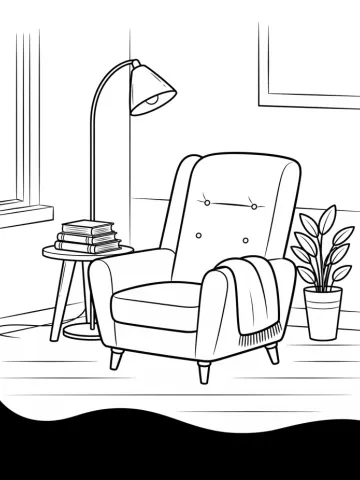
Coloring page of a reading nook with an armchair, books and a lamp
About this coloring page

Reading Nook coloring page to color online

  • Level Easy
  • Theme Architecture

A tufted armchair with its throw, a side table with a stack of books, a floor lamp and a green plant. Few areas and large surfaces: a quick coloring page, perfect for trying patterns on the armchair and the Colored pencil texture on the floor.

  • Free, no sign-up
  • Saved automatically on your device
  • Download as PNG or print